Vectorworks alternative
Vectorworks draws the room. WireFlow draws the signal.
This is the one comparison where the honest answer is usually both. Spotlight owns the plot, the rigging, and the venue geometry. It is not a signal flow tool, and that is the gap WireFlow fills. Free to start, Pro at $14.99/month.
- Port-validated signal flow, the layer a lighting plot does not describe
- Cable schedule and gear list generated from the patch, exported as CSV
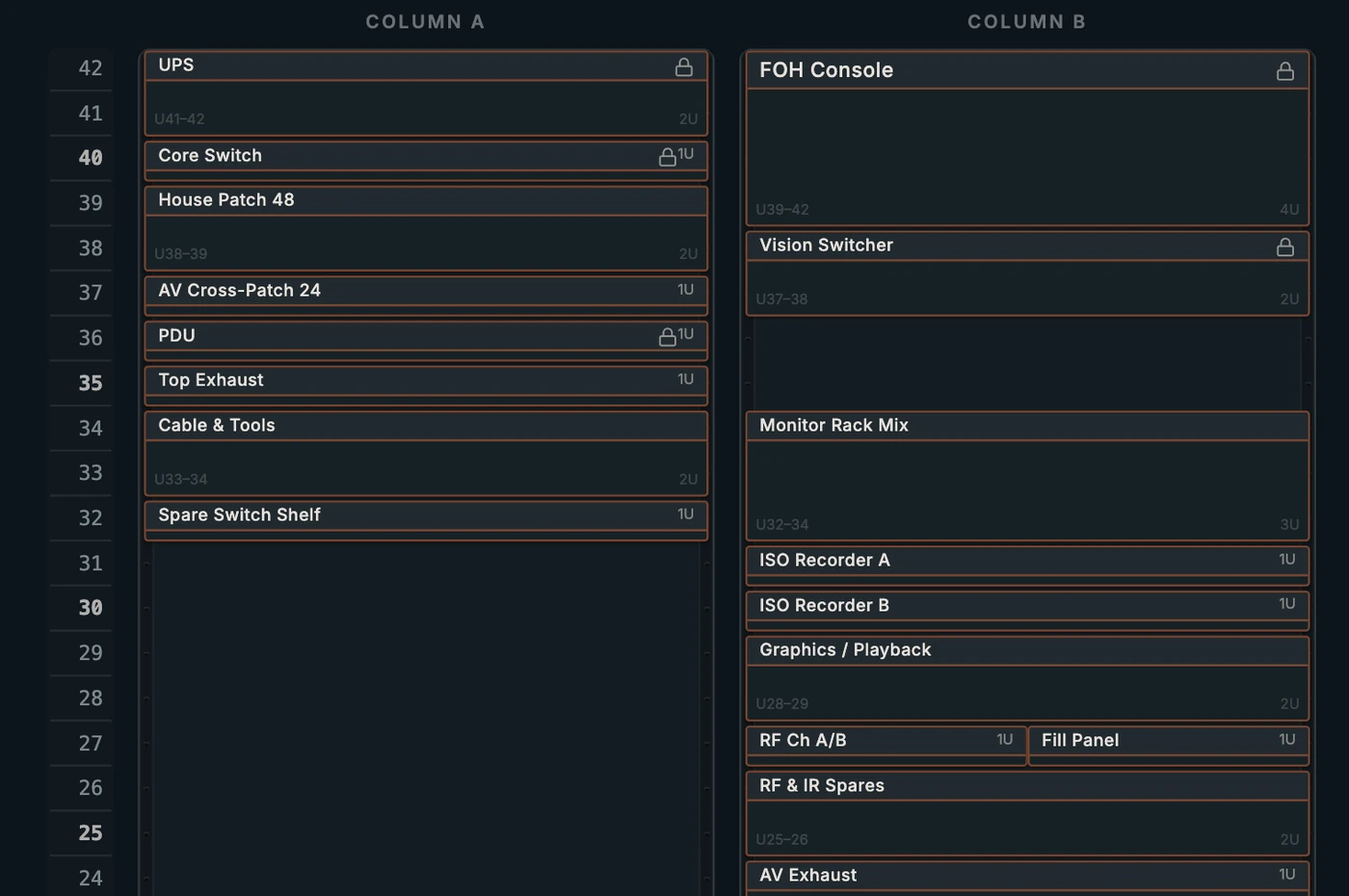
- Rack elevations and LED wall pixel maps in the same project
- Browser-based, so the video tech opens it without a CAD seat
- Free to start: three editable diagrams, no credit card
Not really a replacement, and we will say so
Vectorworks Spotlight is the entertainment industry's drawing standard for a reason. Plots, hang positions, rigging, truss, sightlines, venue geometry in 2D and 3D: if that is your deliverable, nothing here replaces it and you should keep using it.
The reason this page exists is that people search for a Vectorworks alternative when what they actually hit is a different problem: the plot does not tell anyone what is plugged into what.
The gap between a plot and a patch
A lighting plot says where a fixture hangs and how it is addressed. It does not say which output on which processor feeds which screen, whether that run is SDI or HDMI, how long the cable needs to be, or what happens to the rest of the chain when the switcher moves to the other side of the stage.
On a show with video, that patch layer is where the failures live, and it is usually documented in a spreadsheet that stops matching reality about an hour into load-in.
- Typed ports so an impossible patch cannot be drawn in the first place
- Signal tracing to answer why screen 3 is black without walking the truck
- A cable schedule that updates when you move a single wire
Using both without duplicating work
The workflow that tends to hold up: the plot stays in Vectorworks, the signal flow lives in WireFlow, and the two meet at the gear list. Export the WireFlow gear list as CSV when the production manager needs one list of everything going on the truck.
You can also drop a floor plan image into WireFlow as an underlay so the diagram carries some spatial context, which is enough for a video tech to orient without turning it into a second drafting job.
When WireFlow on its own is enough
Corporate AV, broadcast flypacks, houses of worship, conference rooms, and most video-led events do not need a dimensioned plot at all. They need a correct signal flow, a rack elevation, an LED wall that is the right size, and paperwork the crew can read.
If that describes your work, you may not need a CAD seat, and it is free to find out.
Frequently asked questions
- Does WireFlow replace Vectorworks Spotlight?
- For most people, no, and we would rather say that plainly. Spotlight owns plots, rigging, and venue geometry. WireFlow owns signal flow, patch validation, racks, LED walls, and the schedules that come off them. Many crews run both.
- Can WireFlow produce a lighting plot?
- No. There is no drafting layer, no hang positions, and no 3D venue model. You can place a floor plan image underneath a diagram as an underlay for orientation, but that is context rather than a plot.
- Does it do DMX and lighting signal paths?
- Yes, as signal flow. DMX is a supported port type, so consoles, nodes, splitters, and fixtures wire up with the same validation as video and audio. What it will not do is tell you where the fixture hangs.
- How do the two tools share data?
- Through the gear list. Export the WireFlow gear list as CSV so the production manager has one list of everything going on the truck. There is no live sync between the two.
- Can my video tech open it without a CAD license?
- Yes, and that is usually the point. A read-only share link opens in any browser with no account and no install, and always shows the latest saved version.
- What does WireFlow cost to start?
- Free. Three editable diagrams, five custom devices, the full preset library, and PNG export, with no credit card. Pro is $14.99/month.