LED wall calculator
An LED wall calculator that remembers your wall after you close the tab.
Size the wall in cabinets, plan the power and data paths, and generate the pixel map, inside the same project as the wiring diagram and the tech pack.
- Cabinet grids that calculate resolution and physical dimensions as you build the wall
- Power draw and circuit planning alongside the cabinet layout
- Data paths with processor limits accounted for, not just assumed
- Pixel maps ready for the content team
- See a real festival wall in the free sample, no signup required
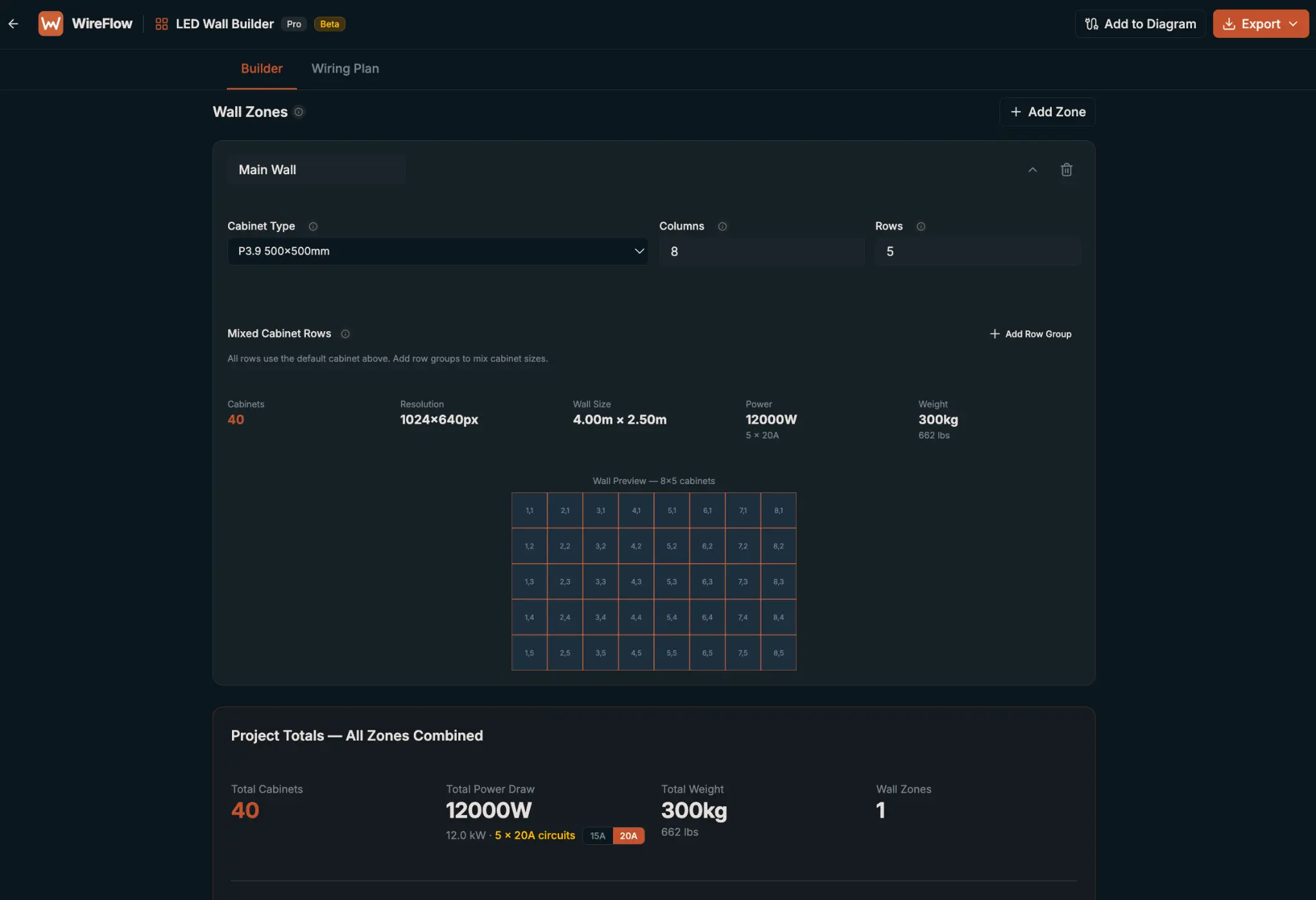
Size the wall in cabinets, not guesses
A standalone LED wall calculator answers one question (plug in cabinet dimensions and pixel pitch, get a resolution back) and then forgets everything about your wall the moment you close the tab. WireFlow's wall planning lives inside a real project: build the grid in cabinets, and pixel pitch, resolution, and physical dimensions calculate together as you place them.
Change the grid from 8x4 to 10x5 and the resolution, aspect ratio, and physical size update immediately, so you're deciding based on the actual wall instead of re-running numbers in a separate spreadsheet.
Power planning, not an afterthought
Cabinet count and power draw are the same conversation: you can't finalize one without the other. WireFlow calculates power draw across the grid and helps plan circuits alongside the cabinet layout, so the electrical ask goes to the venue before load-in, not during it.
Data paths and processor limits
Every LED processor has a limit on how many pixels or cabinets it can drive per output. WireFlow's wall plan accounts for those limits when mapping data paths, so the plan tells you how many processor outputs the wall actually needs instead of leaving that math for someone to redo at the truck.
Pixel maps for the content team
Once the grid is set, the wall plan generates a pixel map the content team can build against, so the video that gets designed matches the wall that gets built, down to the cabinet.
That matters most on irregular builds: walls with a notch cut out for a doorway, or an upstage screen split across two heights. The pixel map reflects the actual shape of the wall, not a clean rectangle nobody's actually hanging.
From calculator to full wall plan
The difference between a calculator and a wall plan is what happens after the math: the same project carries the wall into the wiring diagram, so data and power runs are documented alongside everything else, and exports into a tech pack the LED crew and the video crew both read from.
Try it on a real build in the free sample project (a festival LED wall you can explore without an account) or start your own wall inside a free WireFlow project.
Frequently asked questions
- How do I calculate LED wall size and resolution?
- Build the wall as a cabinet grid in WireFlow: pixel pitch, resolution, and physical dimensions calculate together as you set rows and columns, so you see the actual wall size and resolution as you build it, not after.
- Does the calculator handle power planning too?
- Yes. Power draw calculates alongside the cabinet grid so you can plan circuits for the wall before it's on site, not after the electrician asks.
- Are there presets for common cabinet sizes?
- Yes. Common cabinet dimensions (like 500x500mm and 500x1000mm) are available as presets by manufacturer, alongside the option to build a custom cabinet if yours isn't listed.
- Can I see an LED wall plan without signing up?
- Yes. The free sample project includes a full festival LED wall with cabinet grid, power, and data paths, viewable at /sample with no account needed.
- Is the LED wall calculator free to use?
- The sample wall is free to explore with no signup. Building your own LED wall plan is a Pro feature: $14.99/month, after a free plan that covers diagrams, devices, and the preset library.
- Does the wall plan connect to the wiring diagram?
- Yes. The wall lives in the same project as the signal flow diagram, so power and data runs to the wall are documented alongside the rest of the system, not in a separate file.