Stardraw alternative
A Stardraw alternative that is not tied to one Windows machine.
Stardraw has been drawing AV systems for a long time and has the symbol library to show for it. The friction is where it runs and who can open it. WireFlow is browser-based, cross-platform, and shares by link. Free to start, Pro at $14.99/month.
- Browser-based, so macOS, Windows, Linux, and a tablet all work the same
- Ports validate the connection by signal type while you draw it
- Cable schedule and gear list generated from the diagram, exported as CSV
- Share a read-only link instead of emailing a file and versioning by filename
- Free to start: three editable diagrams, no credit card
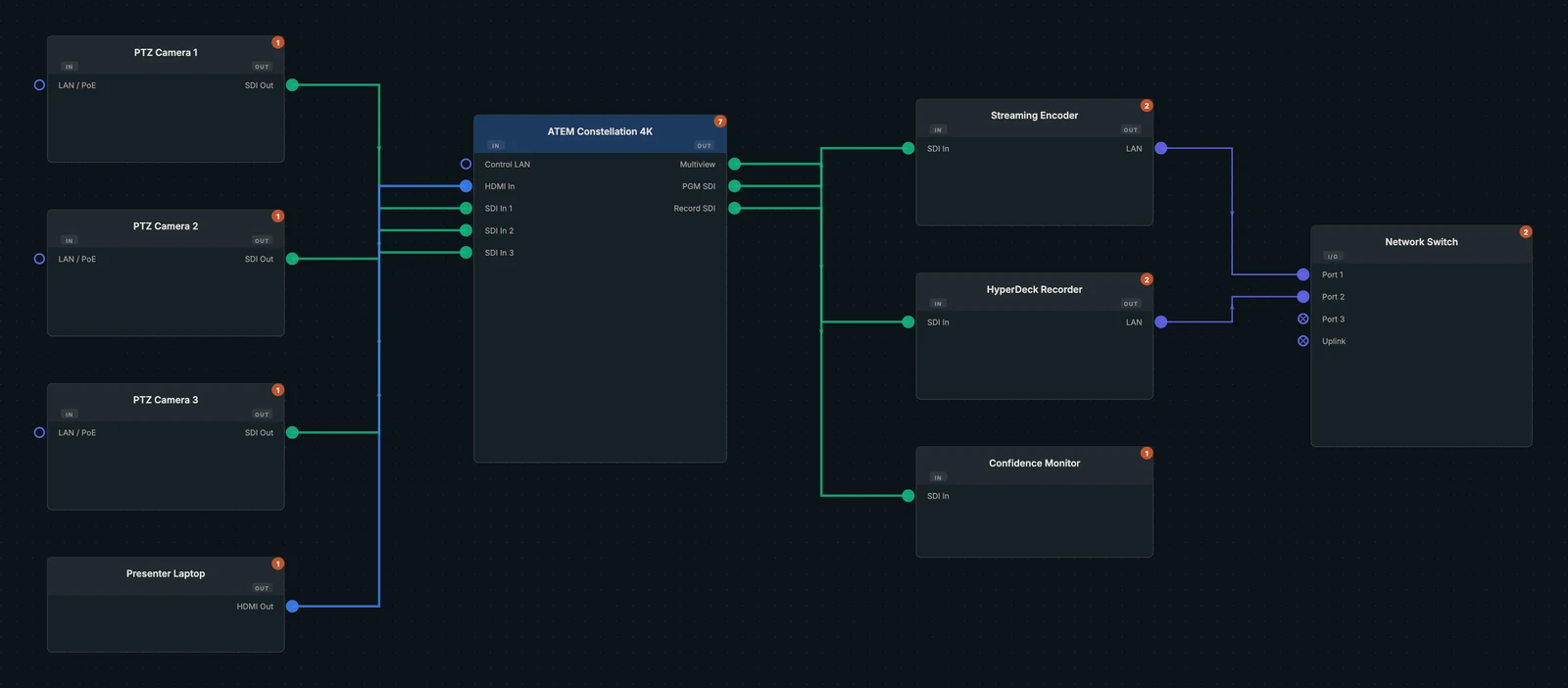
The symbol library is not the hard part anymore
Stardraw's pitch has long been breadth: a very large library of manufacturer symbols so the drawing looks like the real gear. That mattered a great deal when the alternative was drawing rectangles by hand.
What it does not do is check anything. A symbol with the right silkscreen still lets you run a line from an output to another output. The drawing looks correct and is not, which is the expensive kind of wrong.
Validation over decoration
WireFlow devices carry typed ports rather than decorative connector art. Draw a connection and it checks: an SDI output will not land on an HDMI input, a DMX run will not wander onto a network port, and a mic line will not end up in a video switcher.
You still get a clean, readable drawing. The difference is that the drawing has been checked by the time you hand it over.
- Typed ports: HDMI, SDI, XLR, RJ45 for Dante and NDI, USB, DMX, DisplayPort, fiber
- Signal-path tracing upstream and downstream from any device
- Custom devices you define once and reuse across every show
Where the file lives
Desktop drawing tools tend to produce a file on a laptop, which becomes a PDF in an email, which becomes three versions with different dates in three inboxes. On show day the question is not what the drawing says, it is which drawing is current.
WireFlow keeps one live document. A read-only share link always resolves to the latest saved version, and the venue tech opens it on a phone with no license and no install.
Switching honestly
There is no importer, and any tool that promises a clean import of another vendor's drawing format is usually overselling it. Most people rebuild one recurring show file from the device library in an afternoon.
If you have a decade of Stardraw drawings you need to keep readable, keep them as PDFs for reference and build new work here. Do not migrate an archive you are not going to open.
Frequently asked questions
- Does WireFlow run on macOS?
- Yes. It runs in a browser, so macOS, Windows, Linux, ChromeOS, and tablets all work the same way with nothing to install.
- Can I import Stardraw files?
- No, there is no importer. Most people rebuild a recurring show file from the device library in an afternoon, and the rebuild validates every patch instead of carrying over connections that were never checked.
- Does WireFlow have manufacturer symbols?
- It has a device library with real ports rather than a manufacturer symbol art collection, plus LED panel presets from 13 manufacturers alongside generic cabinet sizes. You can define a custom device once with its exact port layout and reuse it on every show.
- Is it a subscription?
- There is a free tier with three editable diagrams and no card required. Pro is $14.99/month and unlocks unlimited diagrams, racks, LED walls, and clean PDF and CSV exports.
- Can more than one person work on a drawing?
- Yes. Diagrams can be shared for viewing by link, and team plans add shared libraries so a shop's custom devices are available to everyone rather than trapped on one machine.
- What does WireFlow cost to start?
- Free. Three editable diagrams, five custom devices, the full preset library, and PNG export, with no credit card.