AI AV diagram software
AI that builds real AV diagrams, not pictures of them.
Most AI diagram tools hand back boxes and arrows. WireFlow gives Claude your real show files and the same port rules the editor uses, so what it builds is a real diagram: typed ports, connections lint_diagram can check, cables on the schedule, and a file that opens in the editor like you drew it yourself. API access comes with a paid plan, from $14.99/month for Pro.
- Describe a rig in plain language and Claude builds it as a real, editable WireFlow diagram
- lint_diagram flags mismatched ports and backwards wires before the crew finds them
- Cable schedules, gear lists, and power reports come straight off the diagram Claude built
- Every API save snapshots the diagram before writing
- Works with Claude Code, Claude Desktop, and claude.ai custom connectors
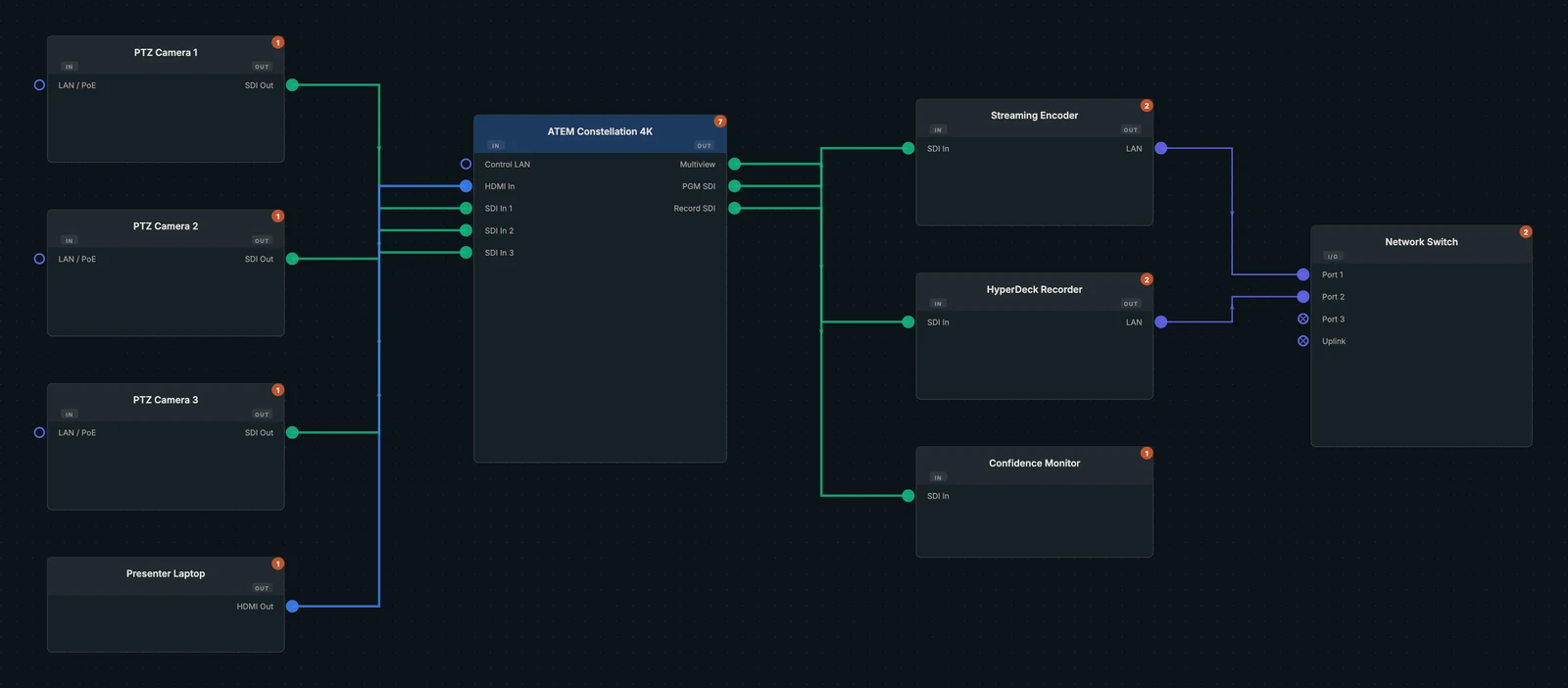
Why a picture of a diagram is not enough
Generic AI diagram generators turn a prompt into shapes and lines. That works for a slide. It does not work for a show, because nothing checks that the camera's SDI output reaches an SDI input, nothing counts the cable runs, and nothing tells you the rack is short on power.
WireFlow approaches AI from the other side. What Claude builds is a real WireFlow show file with devices, typed ports, and connections, so the tools that work on a diagram you drew work on one Claude built: linting, cable schedules, gear lists, power reports, and share links.
What Claude can do with your show files
Once connected, Claude works on your real diagrams through WireFlow's MCP server, not on a sandbox copy. You ask in plain language:
- "Build a two-camera livestream rig with a switcher, a recorder, and a confidence monitor"
- "Open my Main Stage diagram and add a backup recorder after the switcher"
- "Why is there no video on the downstage monitor?" Claude follows the path device to device with trace_signal
- "Check this rig before load-in." lint_diagram reviews the rig in one call
- "Give me the cable pull sheet as CSV." get_cable_schedule returns every run, labeled end to end
- "Add a 5 m by 3 m LED wall." design_led_wall works out the cabinet grid, power, and data runs and places the wall wired to its processors
Guard rails for AI edits to a show file
Letting a model write to the file your crew loads in from needs guard rails. WireFlow's API has these built in.
- Every save snapshots the diagram before writing
- A full rewrite over MCP must name the saved version it replaces, so a concurrent edit fails with CONFLICT instead of being overwritten
- The API refuses to edit team and live-collaboration diagrams, and duplicate_diagram makes a full-fidelity personal copy
- Revoking your API key in Settings disconnects Claude immediately
Bring the Claude you already use
The WireFlow editor does not bolt a chat window onto your diagrams. Instead it gives the Claude you already use, in Claude Code, Claude Desktop, or a claude.ai custom connector, a direct line to your diagrams through a personal API key. Claude handles the conversation; WireFlow handles the AV rules, the file, and the paperwork.
It is not a demo. We have built and delivered two live shows through it ourselves. The MCP server page covers the technical detail, and the setup guide connects Claude in about five minutes.
Frequently asked questions
- Does WireFlow have AI built in?
- WireFlow does not run its own chat assistant. It exposes a REST API and a remote MCP server so Claude can read, build, check, and edit your diagrams directly. You connect the Claude you already use with a personal API key from Settings.
- Can AI generate an AV signal flow diagram from a description?
- Yes. Describe the rig and Claude builds it as a real WireFlow diagram with devices, ports, and connections, then can run lint_diagram to check it. The result opens in the editor, where you keep editing by hand.
- Will Claude overwrite my work?
- Every API save snapshots the diagram before writing, and a full rewrite over MCP fails with CONFLICT if someone saved in the meantime. The API refuses to edit team and live-collaboration diagrams.
- Which plans include it?
- API and MCP access needs a paid plan on your own account; a Team seat alone does not include it yet. On the free plan the Claude & API access panel in Settings shows an upgrade option instead of a key.
- Does it work with Claude Code and Claude Desktop?
- Yes. Claude Code connects with one claude mcp add command, and Claude Desktop connects as a custom connector with your key added to the MCP URL. The MCP server page shows both setups.